
Strangers wait at the door.
New senders never clog your inbox. They wait in a New senders tab until you Accept or Block them.
Everyone you’ve written to before is already welcome.

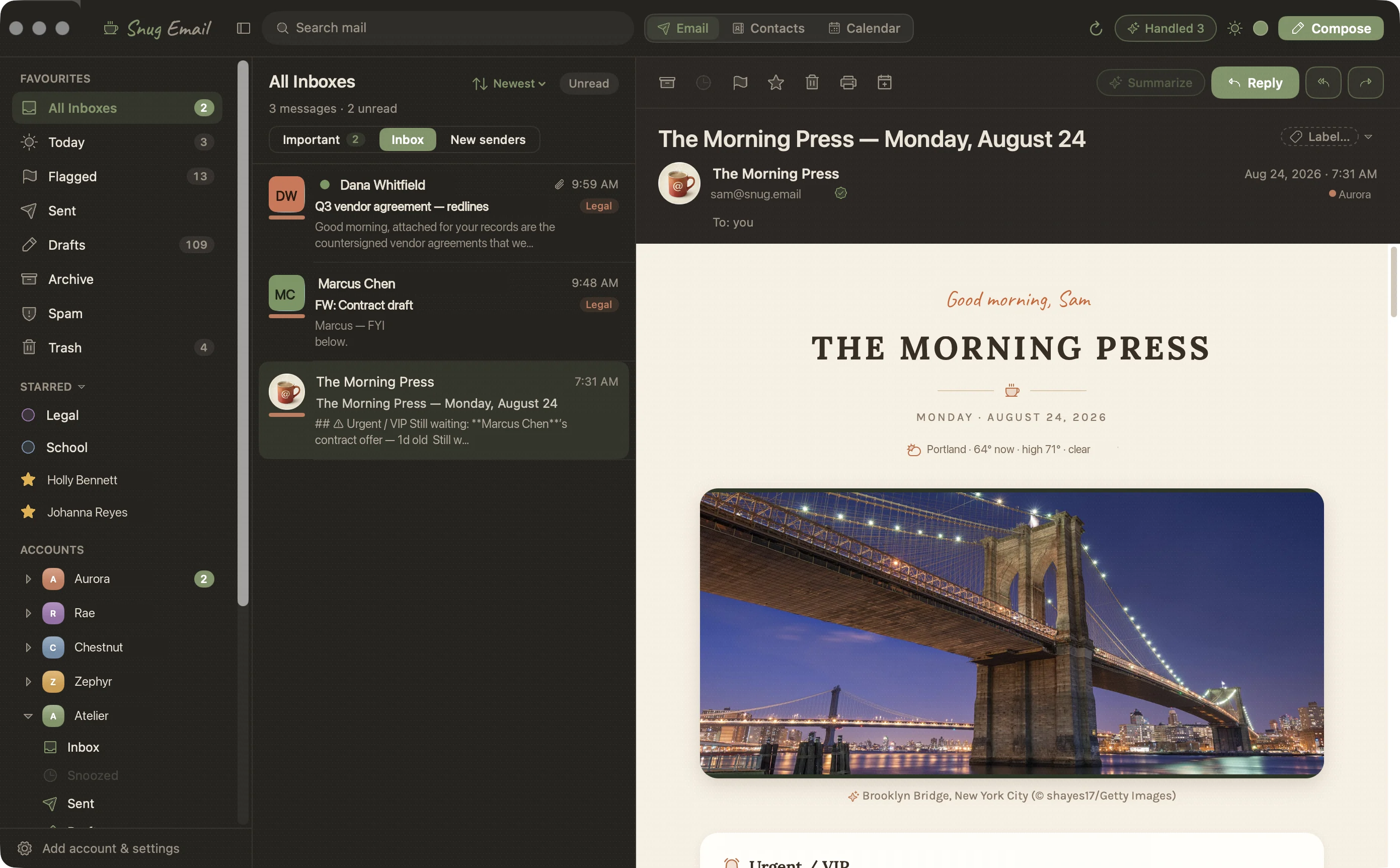
Snug is a native macOS email client. Its concierge reads each new message on your Mac and files the emails for you. Every morning you get one summary of all of it, with links for when you want the details.

New senders never clog your inbox. They wait in a New senders tab until you Accept or Block them.
Everyone you’ve written to before is already welcome.
SPF, DKIM, DMARC and lookalike-domain checks roll into a three-state seal beside every sender. A suspected spoof stays readable with its links locked, and hovering a link shows the true URL.
We confirmed who sent this
SPF ✓DKIM ✓DMARC ✓
We couldn't verify who sent this
SPF –DKIM –DMARC –
Claims PayPal, sent from paypa1-billing.help
SPF ✗DKIM ✗DMARC ✗Links locked
You can still do everything offline. Archive, file, send — it all syncs when you reconnect.
Every message sorts into one of 15 categories and into your account's own label folders. Codes and money amounts are read exactly, never guessed by a model. What got filed comes back once a day as The Morning Press.
Single keys know when you are typing, so they never fire inside a text field. ? opens a cheat sheet for whatever screen you are on.

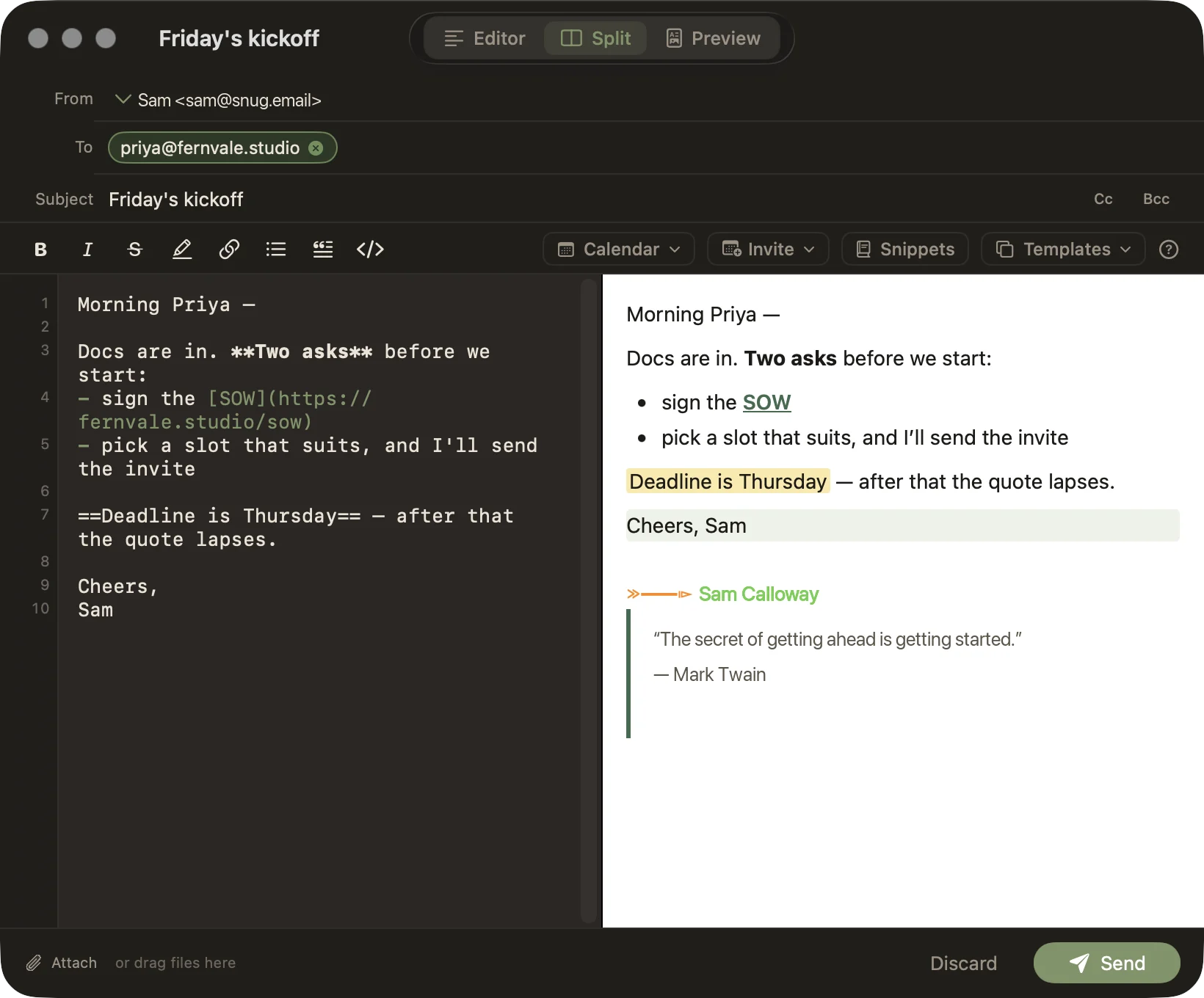
Morning Priya —
Docs are in. Two asks before we start:
Deadline is Thursday
Compose opens in Visual, a rich editor where the Markdown you type formats itself. Switch to Markdown to work in the source, or to Split to see it beside the finished email. It’s one document either way: mail goes out as HTML with CSS inlined on each element, and your Markdown rides along as the plain-text copy. Tables, task lists, code blocks and ==highlights== hold up in the recipient’s dark mode.
Snippets read from the profile Snug keeps for each person (more on those below), so {{to.first}} becomes their first name.
Your calendar works the same way: {{cal.next}} becomes your next free hour, and a check before sending catches any snippet left blank.
Turn on Undo Send and ⌘↵ holds the send for 10 or 30 seconds, long enough to take it back. ⌘⇧↵ sends and archives the conversation in one stroke. Search runs against the local store as you type, across every account, and a question in plain English becomes a structured query on your Mac.
Open someone in Contacts and you get one profile. Snug merges their Apple Contacts card with what it found in their email signatures, and shows a map when there’s an address.
Shared with you lists the files, links, images and events that passed between the two of you. Filter by kind, search by name, or turn on Include sent to see what you sent them. Every item opens the message it came in. It covers the mail on this Mac, one account at a time.

Fernvale kickoff
Thu, Sep 18 · 2:00–2:30 PM
Join ZoomPress ⌘⇧I in compose and the invite rides along with that email. It goes out from your own account as a real invitation, so guests can accept it in whatever calendar they use. You can also start one in Calendar, or press I on a message to schedule with the sender.
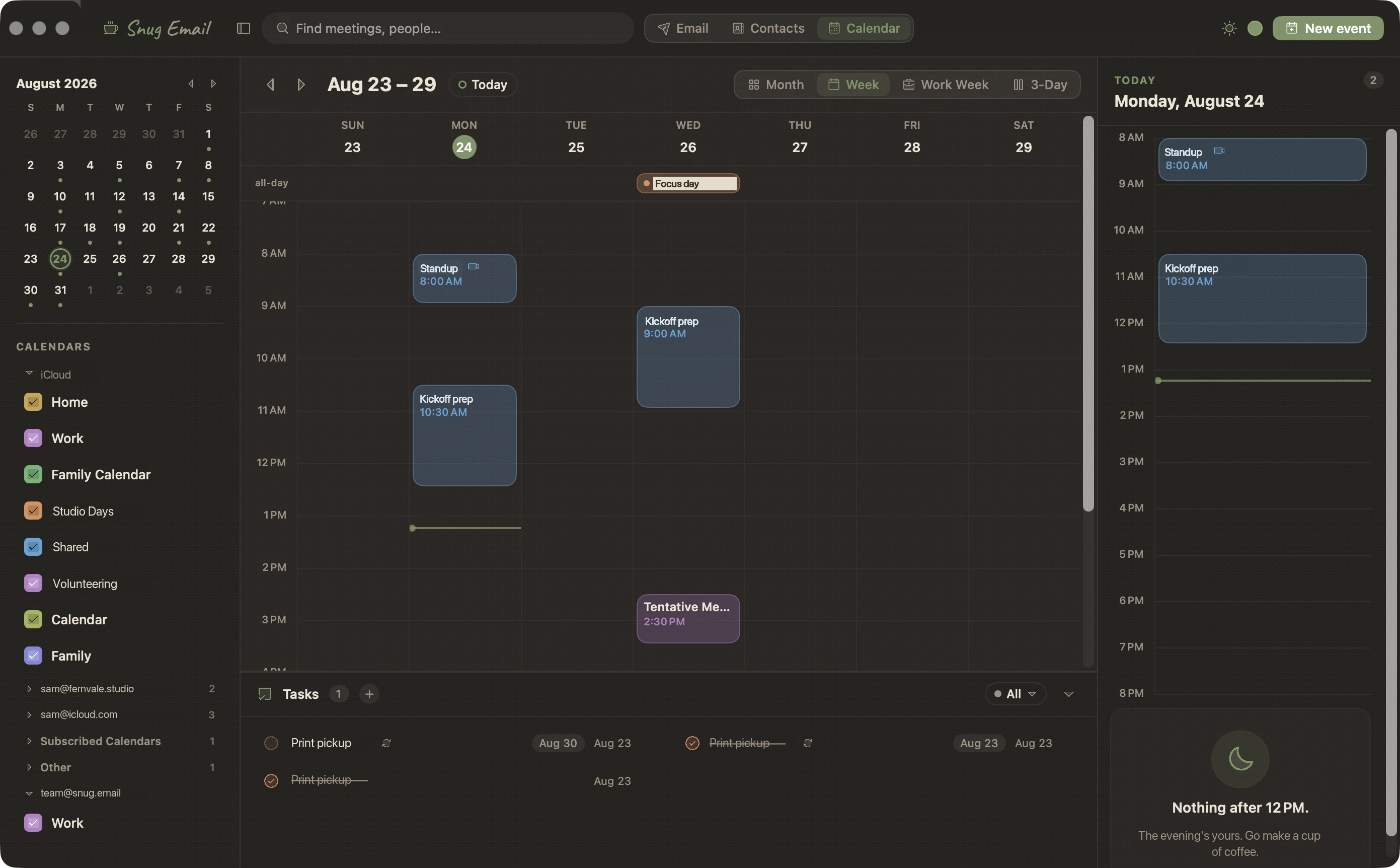
Snug shows the calendars already on your Mac (iCloud, Google, Exchange or CalDAV) in Month, Week, Work Week and 3-Day views.
Replies come back as email. On meetings you organize, each guest turns to Yes, Maybe or No as their answer lands. When you’re the one invited, Accept, Decline and Propose New Time sit on the message.
At start time the Join button names the call: Zoom, Google Meet, Microsoft Teams, Webex, Proton Meet, Jitsi Meet or Whereby.
Snug makes new meeting links with Zoho Meeting. Reschedule the event and the room moves with it. Delete the event and the room goes too.
When a meeting’s alert goes off in the last 30 minutes before it starts, Snug fills the screen you’re working on, even over a full-screen app. Press ↵ to join, pick a snooze, M to mute or Esc to dismiss.
Takeover is on by default, and it’s one switch in Settings. With it off, the same alert arrives as an ordinary notification in the corner, and Join, Snooze 5 min and Open in Snug wait under its Options menu. With it on, the screen stays taken until you choose, it never shows in a screen share, and you can change the 30 minutes. Snug has to be running for either one to fire.
Gmail signs in through your browser. The rest take an app password, and Snug looks up the servers for a custom domain itself.
Apple Intelligence runs on your Mac and Ollama runs on your own machine. The other four use your own key.
Snug reads the calendars your Mac already has, so there’s nothing to set up. Zoho Meeting connects once in Settings.
mailto: linksThese come with macOS. The optional Safari and Chrome extensions put your login codes on sign-in fields.





It’s free, and it shows you everything. The sorting is left to you.
Familiar and in the browser. A lot of the sorting is still on you, and it isn't available offline.
It lives in the cloud at $30 a month. It labels the noise and splits it into tabs. Snug files the noise away on your Mac, and you choose where AI runs.
Anticipates your needs, and like a great administrative assistant, keeps your inbox limited to the things you need to take action on.
All caught up. Go make a cup of coffee.
Early adopters get the beta today and, when 1.0 ships, 12 months of updates included. Founder pays more to fund the work, and gets 3 years of updates included.


$149 once
The beta today, 1.0 when it ships, and 12 months of updates included from 1.0.
Buy Early Adopter
$249 once
Everything early adopters get, with 3 years of updates included from 1.0. Priority support, and a seat in the Founder Discord.
Become a Founder| What you get | Early Adopter | Founder |
|---|---|---|
| Price | $149 once | $249 once |
| Access to Beta | Included | Included |
| Version 1.0 | Included | Included |
| Included Updates | 12 months | 36 months |
| Updates after that | $39 / year | $39 / year |
| Support | Best effort | Priority |
| Community | Discord | Discord + Founder channel |
Your license key comes by email with the current beta build. Lost it? Find my key.
macOS 14+ · Apple silicon · any IMAP account and Proton via Bridge